
AI automation, minus the hype: what it actually replaces in a business
TL;DR
Where AI automation actually pays off, why most projects stall, and how to choose and measure your first automation, task by task.

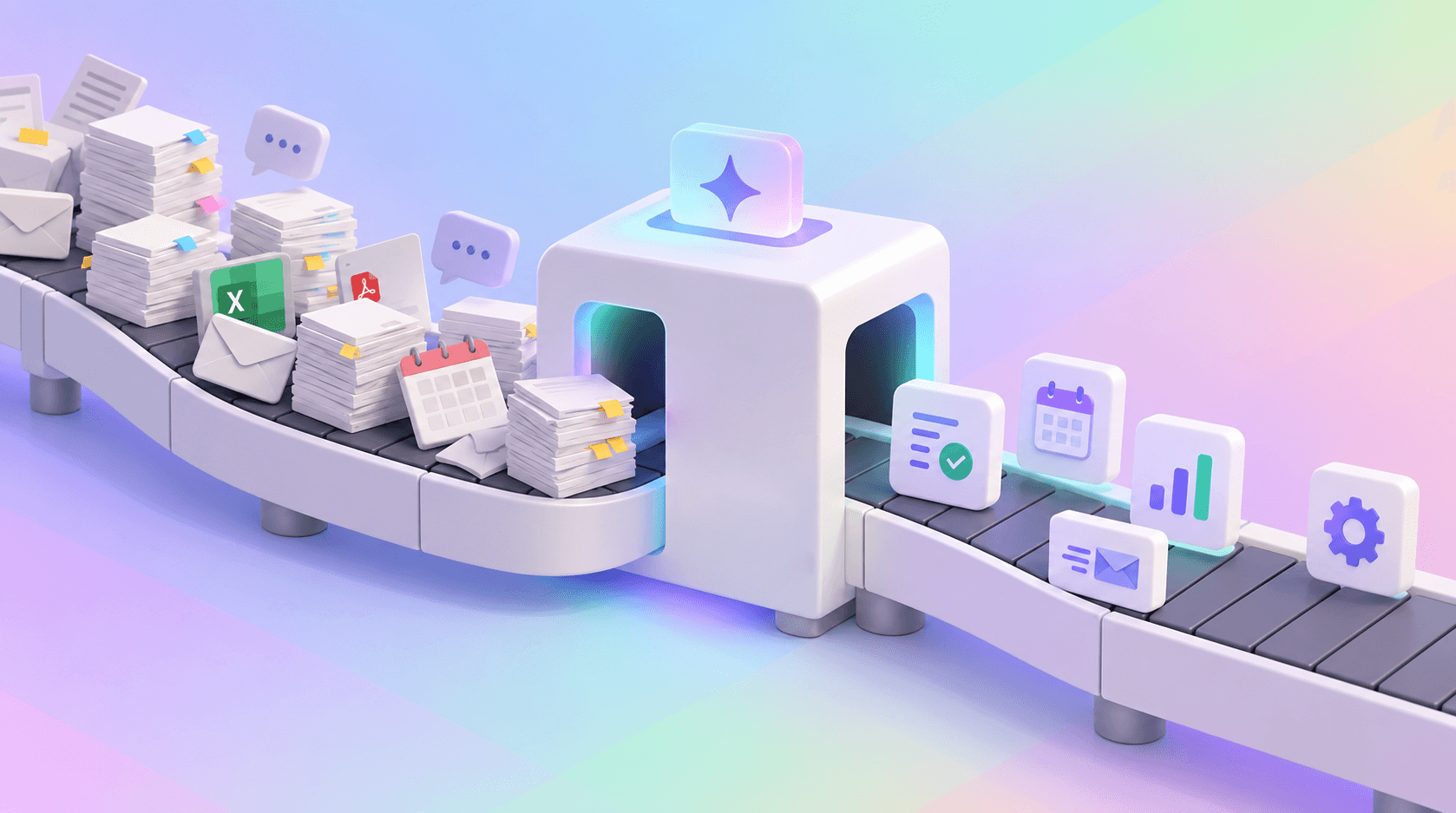
AI automation doesn't replace people or departments. It replaces specific tasks inside workflows, and most companies are still aiming at the wrong ones.
In McKinsey's 2026 State of AI survey, 80% of respondents said AI had improved their individual productivity. Only 37% said it had contributed anything to their organization's EBIT, a share essentially unchanged from the year before (McKinsey, 2026). That gap matters more than any adoption figure: employees are faster, AI budgets are bigger, and the P&L has barely moved. The usual explanation is that the technology isn't ready. The more accurate one is that most companies point it at the wrong unit of work. They ask whether AI can replace a role or a department, buy a tool shaped like an answer, and drop it into a process designed for people to do everything by hand.
The gap starts to close when the target shifts from jobs to tasks: the reading, sorting, retyping and first-drafting that fill the space between the decisions people are actually paid to make. Companies that don't redesign the workflow around those tasks end up with faster individuals inside an unchanged business, which is precisely the pattern the McKinsey numbers describe.
AI automation replaces tasks, not jobs
Every job is a bundle of tasks. A support agent reads tickets, works out what the customer wants, checks the account, writes a reply and, occasionally, talks someone out of cancelling. AI is very good at some of those steps and poorly suited to others, which is why "can AI do this job?" is the wrong question. The useful one is narrower: which tasks inside this job can AI perform reliably, at volume, with a human fallback when it isn't sure?
The field evidence supports the task-level view. In a study of 5,172 customer support agents using a generative AI assistant, the tool helped agents resolve about 15% more issues per hour on average, with the largest gains among less experienced workers (Brynjolfsson, Li and Raymond, 2025). The measured effect was more output per person, not fewer people.
Klarna is the clearest public illustration of both sides. In February 2024, the company announced that its OpenAI-powered assistant had handled 2.3 million conversations in its first month, two-thirds of all customer service chats, doing the equivalent work of 700 full-time agents and cutting the time to resolve an issue from 11 minutes to under two (Klarna, 2024). Fifteen months later, CEO Sebastian Siemiatkowski told Bloomberg that the cost-driven push had produced lower-quality service, and Klarna began recruiting human agents again so customers could always reach a person (Entrepreneur, 2025). Yet by late 2025 the company was reporting that the assistant did the work of more than 850 agents (Customer Experience Dive, 2025). The AI absorbed high-volume, well-documented tasks extremely well; the trouble started when it was treated as a substitute for the whole job, including the judgment calls and the customers who simply needed a human.
That distinction is your best defense when a vendor pitches an "AI employee." Ask which specific tasks it performs, what inputs it needs, what happens when the input is ambiguous, how the output is validated, what the error rate is and when a human takes over. If the answers stay vague, you're looking at a pitch, not a system, and your customers will be the ones who find out.
What AI automation does well
The strongest use cases share four traits: high volume, messy or unstructured input, a checkable output and a human fallback when confidence is low. What changed recently is less about raw intelligence than reliability as a component. Major model APIs can now return structured outputs, answers that conform to a JSON schema you define, so a model's result can flow straight into a helpdesk, ERP or CRM without anyone tidying it up. That turns a language model from a chat window into a step in a pipeline, and pipelines are where operational savings live.
Reading and sorting
Ticket classification, invoice categorization and request routing are the classic examples. A language model reads each incoming item, picks a label from a predefined list such as sales inquiry, billing question or cancellation request, and returns it in a structured format the downstream system can act on directly. Each label carries a confidence signal, from token probabilities or a validation check, and anything below the threshold goes to a human queue instead of being guessed at. The value is that large volumes of text get sorted consistently enough for the next step to run without someone reading every item first, which shortens first-response times and keeps urgent requests, like a cancellation, from sitting in a general inbox.
Document data extraction
Invoices, purchase orders and contracts are full of information people traditionally retype into business systems. AI can extract fields such as supplier, invoice number, date, tax, total and line items into a predefined schema. Deterministic validation, plain code that gives the same answer for the same input every time, then checks the result: do the line items add up, does the supplier exist, does the purchase order match? Clean records continue automatically, and exceptions go to a person with the problem field highlighted. The AI handles interpretation and the rules handle correctness, so finance teams stop retyping PDFs and spend their attention on the exceptions that actually carry risk.
First drafts of repeatable writing
Weekly reports, standard support replies and product descriptions follow the same structure every time, which makes them strong candidates for drafting. The important part happens before the model writes anything: the workflow first retrieves relevant material from your own sources, such as a help center, CRM or BI system, and passes it to the model alongside the task. This pattern is called retrieval-augmented generation, or RAG. It doesn't guarantee correctness, but it makes a draft grounded in your data far more likely than one that merely sounds plausible. People still review and send, but they edit a prepared draft instead of facing a blank page, which is where weekly hours come back for marketing and support teams.
Internal knowledge search
Company knowledge is scattered across SharePoint, Notion, Google Drive and Slack, and keyword search only works if you guess the words the author used. Semantic search matches meaning instead. Under the hood, it converts documents and questions into vector embeddings, numerical representations of meaning, and retrieves the passages whose embeddings sit closest to the question's. That's why "how many days off do I get after my first year?" can surface a policy titled "annual leave entitlement." Good systems cite the source behind every answer so employees can verify it, which is what earns enough trust for people to stop sending HR, IT and finance the same questions.
What AI automation shouldn't replace
AI doesn't remove accountability. Someone still owns the refund decision, the contract sign-off and the conversation with an unhappy key account, and a model in front of those moments shifts risk onto your brand without shifting responsibility off your team. AI also shouldn't replace rules that already work. If "orders above €10,000 require finance approval" is the rule, write it in code or in your workflow engine. A language model would only add cost, latency and variability to a decision that should be deterministic.
Gartner made a related point in 2025, noting that many use cases positioned as "agentic" don't require an agentic implementation, and predicting that more than 40% of agentic AI projects will be canceled by the end of 2027 due to rising costs, unclear business value or inadequate risk controls (Gartner, 2025). More AI doesn't automatically mean more value: every unnecessary model call is a cost line with an error rate attached. Use AI where a step requires reading, interpreting, classifying or writing, and plain software wherever the rule can be written down.
Where companies get AI automation wrong
The most common mistake is bolting AI onto a broken workflow. A team adds a chatbot but keeps the same intake form, handoffs and approvals, and ends up with an AI feature inside a slow process. McKinsey's March 2025 research found that, of the 25 organizational attributes it tested, workflow redesign had the strongest relationship with EBIT impact from generative AI, yet only 21% of organizations using it had fundamentally redesigned even some of their workflows (McKinsey, 2025). That goes a long way toward explaining the gap in the introduction. Individual tasks get faster, but if the handoff after them still waits two days in someone's inbox, neither the customer nor the P&L notices.
The second mistake is building before measuring. If you don't know how long a task takes today, how often it happens or how often it goes wrong, you can't prove the automation created value. The third is choosing the most impressive use case over the most frequent one. A task done 400 times a week at four minutes each adds up to more than 26 hours of work every week, most of a full-time role spent on a single repetitive step. It doesn't need to impress in a demo; it needs to happen often and have a measurable before and after.
Start with tasks, not processes. "Accounts payable" is a process; "typing invoice totals into the ERP" is a task, and only the second can be scoped, measured and automated in weeks rather than quarters. Once you have a task list, score each one against five questions:
| Question | Good sign |
|---|---|
How often does it happen? | Daily, or hundreds of times per week |
What goes in? | Emails, documents, tickets or other unstructured data |
What comes out? | A predictable, checkable result |
What's the cost of an error? | Low or manageable |
Can a human review exceptions? | Yes |
Before building anything, record a baseline: volume, time per task, error rate and number of handoffs. Without it, "AI saved us time" is an opinion rather than a result. Then build narrowly: automate one task, add a review step, log every input and output, and remove the handoffs that only existed because the task was manual. That last step is the workflow redesign McKinsey ties to EBIT impact, and it's what separates AI workflow automation from bolting a model onto an old process.
The real answer
The companies capturing value from AI automation aren't the ones with the most sophisticated models or the boldest agent roadmaps. They're the ones that picked specific, repetitive tasks, measured them and rebuilt the workflow around them, so the saved minutes reached the customer and the P&L instead of evaporating into the next meeting. If your AI strategy is currently a list of tools, ask how many of them retire a named task with a known baseline.
So start this week with one team. Ask them to log every task they repeat more than five times a day, noting frequency, time per task, inputs, outputs and what happens when it goes wrong. Rank the list by weekly hours, keep the tasks with checkable outputs and manageable error costs, and automate the top one with a review step and a recorded baseline. Within a quarter, you'll have what most AI programs still lack: a measured result you can scale. If you can't name the task an AI tool replaces and how long that task takes today, you're not buying automation. You're buying a demo.
FAQ
Will AI automation reduce our headcount?
Not necessarily. In McKinsey's November 2025 survey, 32% of respondents expected their workforce to shrink over the following year, 43% expected no change and 13% expected growth. These are expectations, not measured outcomes. In many workflows, the first measurable effect is capacity: the same team handling more work.
How is AI automation different from RPA?
Robotic process automation (RPA) follows predefined rules and works well when processes and inputs are predictable. AI is useful when inputs are unstructured, such as emails, PDFs or free-text requests. The two work well together: AI interprets the messy input, and RPA or conventional software executes the deterministic steps.
What stops AI from making things up?
Nothing eliminates the risk completely, so the goal is to reduce and contain it. Ground responses in your own data, force structured outputs, add validation rules and source citations, set confidence thresholds, send exceptions to a human and log everything. The higher the cost of an error, the more of these controls you need.
Sources
- Brynjolfsson, E., Li, D. and Raymond, L. (2025). "Generative AI at Work." The Quarterly Journal of Economics, 140(2), 889-942.
- Customer Experience Dive (2025). "Klarna says AI agent does work of 853 employees."
- Entrepreneur (2025). "Klarna Is Hiring Customer Service Agents After AI Couldn't Cut It on Calls, According to the Company's CEO." May 9, 2025 (reporting a Bloomberg interview).
- Gartner (2025). "Gartner Predicts Over 40% of Agentic AI Projects Will Be Canceled by End of 2027." June 25, 2025.
- Klarna (2024). "Klarna AI assistant handles two-thirds of customer service chats in its first month." February 27, 2024.
- McKinsey & Company, QuantumBlack (2025). "The state of AI: How organizations are rewiring to capture value." March 2025.
- McKinsey & Company, QuantumBlack (2025). "The state of AI in 2025: Agents, innovation, and transformation." November 2025.
- McKinsey & Company, QuantumBlack (2026). "The state of AI in 2026: On the road to ROI." August 25, 2026.
Tags
Services used
Author

Full Stack Developer
Full Stack Developer, specializing in Next.js, React, TypeScript, and Supabase. I build modern web applications and AI-powered products, integrating LLMs, AI agents, and MCP-based workflows into production-ready software. Experienced in delivering end-to-end products, from concept to deployment, with a background in agency work on projects for brands including FairJourney and TAP Air Portugal.